
Best VEMA Trader Alternatives for U.S. Retail Traders
- Steven Hartwell

- Aug 8
- 9 min read

For U.S. retail traders who want TradingView-friendly automation without the complexity, Big Move Algo is the top pick among vematrader.com alternatives. It runs directly inside TradingView, delivers clear Long, Short, and Exit signals, and gets you trading in minutes through AUTO Mode. No broker account required to start.
Three other solid options, depending on your workflow:
TradingView — best for charting-first traders who want community strategies and multi-broker connectivity
Interactive Brokers — best for active traders who need institutional-grade execution and a full broker API
NinjaTrader — best for futures and options traders who want deep strategy automation and backtesting
Active retail traders are increasingly pairing a high-quality execution broker with a specialized charting or signal tool rather than relying on one monolithic platform, according to StockBrokers.com. That modular approach is exactly what this shortlist is built around.
Table of Contents
How do these VEMA Trader alternatives compare side by side?
Quick-filter tags: Simple TradingView indicator → Big Move Algo | Charting hub → TradingView | Broker + API → Interactive Brokers, TradeStation, E*TRADE | Futures/algo → NinjaTrader | Legacy forex auto → MetaTrader 4/5 | All-in-one broker platform → Thinkorswim | Social/copy → eToro
Platform | Best for | Automation / algo | TradingView integration | Assets | Pricing shape | Order execution | Backtesting & paper trading |
Big Move Algo | Simple TradingView signals, AUTO mode | AUTO + Manual modes, alert-to-execution bridge | Native TradingView indicator | Crypto, forex, stocks, indices, commodities | Subscription (monthly/annual) | Via connected broker or execution bridge | Fake Trend Detector filters low-quality signals; paper trade via TradingView |
TradingView | Charting, community strategies | Webhook alerts, Pine Script strategies | Native | Stocks, forex, crypto, futures, indices | Free tier; paid plans available | Via connected broker | Strategy tester built in; paper trading available |
Interactive Brokers | Active traders, multi-market execution | IBKR API, TWS algos, third-party AI tools | Via broker connection | 170+ markets globally | IBKR Lite ($0 commissions on U.S. stocks/ETFs); IBKR Pro tiered | Direct exchange access, low latency | Paper trading account available |
TradeStation | Strategy-driven active traders | Built-in EasyLanguage, TITAN X platform | Via broker connection | Stocks, options, futures, forex, crypto | Commission-based; platform fee varies | Direct U.S. broker execution | Full strategy backtesting; simulated trading |
E*TRADE | Retail traders, options | Limited algo; web platform tools | Via broker connection | Stocks, ETFs, options, futures, bonds | $0 commissions on U.S. stocks/ETFs | Morgan Stanley-backed U.S. execution | Paper trading via Power E*TRADE |
NinjaTrader | Futures, options, advanced algo | NinjaScript, automated strategies | Limited; third-party add-ons | Futures, forex, stocks | Free platform; brokerage fees apply | U.S. futures broker | Extensive backtesting; simulated trading |
MetaTrader 4/5 | Forex, CFD automation | Expert Advisors (EAs), full algo | Via bridge/plugin | Forex, CFDs, some stocks | Free platform; broker-dependent | Broker-dependent | Strategy tester built in |
Thinkorswim | Options, multi-asset retail | thinkScript, conditional orders | Limited; third-party | Stocks, options, futures, forex | $0 commissions on U.S. stocks/ETFs | TD Ameritrade/Schwab U.S. execution | Paper trading (paperMoney) available |
eToro | Social/copy trading | CopyTrader, limited algo | No native integration | Stocks, crypto, ETFs, forex | Spread-based; $0 stock commissions | U.S. regulated (eToro USA) | Virtual portfolio available |
All broker-based platforms listed here operate under FINRA and SEC oversight. Verify current registration status before opening an account.
How to pick the right alternative for your workflow
The decision comes down to five variables. Get clear on these before you spend time on demos.
Your decision checklist:
Trading goals: Are you looking for clear buy/sell signals, or do you want to build and backtest your own strategies from scratch?
Asset mix: Crypto and forex traders have different broker requirements than futures or options traders.
Automation depth: Do you need simple alerts you act on manually, or full auto-execution where the system places orders without you?
Budget: Some platforms charge platform fees on top of commissions; others are free with a funded brokerage account.
Broker requirements: A few tools (NinjaTrader, TradeStation) work best with their own brokerage. Others (Big Move Algo, TradingView) connect to your existing broker.
Check the first trading platform checklist if you are still mapping out your requirements.
Questions to ask before you commit:
Does the platform support paper trading or a demo account before you go live?
What is the API latency, and does it match your trading timeframe?
How deep is the backtesting engine — tick data, slippage modeling, commission simulation?
What are the customer support hours, and is there live chat or only email?
Which U.S. brokers does it connect to natively?
Red flags to watch for: no U.S. broker integrations listed, pricing that requires a call to get a quote, no paper trading option, and backtest results with no methodology disclosed. Platforms that cannot show you how their signals performed historically are asking you to trade blind.
Profiles: what each platform actually does
Big Move Algo
A proprietary TradingView indicator that reads live market conditions and outputs Long, Short, and Exit signals. The built-in Fake Trend Detector filters out low-quality setups so you are not trading noise. AUTO Mode gets beginners live in minutes; Manual Mode gives experienced traders more control. Works across crypto, forex, stocks, indices, and commodities. Subscription-based with instant access after payment. Available in the U.S. with no separate brokerage account required to start.
Pros: Fast setup, no coding required, multi-market coverage, Fake Trend Detector reduces false signals. Cons: Signals depend on TradingView; full auto-execution requires connecting an execution bridge.
TradingView
The dominant charting platform for retail traders globally, with Pine Script for custom strategies, webhook-based alerts, and a thriving community of shared indicators. Connects to dozens of U.S. brokers for order placement. Free tier is functional; paid plans unlock more indicators and alerts. According to G2’s platform reviews, TradingView consistently ranks as the go-to charting hub for signal-driven traders.
Pros: Best-in-class charting, large strategy library, broad broker connectivity. Cons: Not a broker itself; automation requires webhooks and a third-party bridge.
Interactive Brokers
IBKR gives you access to 170+ markets with institutional-grade APIs and two account tiers: IBKR Lite (commission-free on U.S. stocks and ETFs) and IBKR Pro (tiered pricing for active traders). The API supports third-party AI tools and automated order execution. Steep learning curve for beginners.
Pros: Unmatched market access, robust API, low margin rates. Cons: Complex interface; not beginner-friendly.
TradeStation
TradeStation is built for traders who want to write, test, and execute strategies inside one brokerage. Its TITAN X platform and EasyLanguage scripting make it a strong pick for active traders who want built-in algo capability without stitching together third-party tools. Recognized as an innovation leader among U.S. brokers.
Pros: Deep backtesting, integrated execution, advanced charting. Cons: Platform fee structure can add up; less intuitive for casual traders.
E*TRADE from Morgan Stanley
E*TRADE offers $0 commissions on U.S.-listed stocks and ETFs, a solid web platform, and Power E*TRADE for options traders. Paper trading is available. Education resources and webinars make it accessible for traders still building their process.
Pros: Commission-free U.S. stocks/ETFs, paper trading, strong educational content. Cons: Automation tools are limited compared to TradeStation or NinjaTrader.
NinjaTrader
Purpose-built for futures and options. NinjaScript lets you automate strategies fully, and the backtesting engine handles tick-level data. The platform is free; you pay brokerage commissions when you trade live. A strong pick if futures are your primary market.
Pros: Powerful automation, deep backtesting, free platform. Cons: Primarily futures-focused; TradingView integration is limited.
MetaTrader 4/5
The legacy standard for forex and CFD automation via Expert Advisors. Still widely supported by forex brokers, but modern alternatives guides increasingly point traders toward TradingView-powered tools or broker APIs for broader asset coverage and cleaner interfaces.
Pros: Massive EA library, free platform, forex broker support. Cons: Aging interface; limited stock and crypto coverage; MT4 is being phased out by some brokers.
Thinkorswim (TD Ameritrade/Schwab)
A full-featured retail platform with thinkScript for custom studies and conditional orders for semi-automated trading. The paperMoney simulator is one of the best free paper trading environments available. Now under Schwab’s umbrella following the TD Ameritrade acquisition.
Pros: Excellent paper trading, strong options tools, $0 commissions on U.S. stocks/ETFs. Cons: thinkScript has a learning curve; full automation requires workarounds.
eToro
eToro’s CopyTrader lets you mirror other traders’ portfolios automatically. Available in the U.S. through eToro USA, which is regulated and offers $0 commissions on stocks. Social features make it unique, but algo-building is minimal.
Pros: Copy trading, social community, simple interface. Cons: No native TradingView integration; limited strategy automation.
Pro Tip: If you are choosing between TradingView and Big Move Algo, think of them as complementary rather than competing. TradingView provides the charting environment; Big Move Algo provides the signal layer on top of it. Many traders run both.
How to automate signals and connect to execution
The most common workflow for TradingView-first traders runs like this: your indicator fires a signal → TradingView sends a webhook alert → an execution bridge receives it → the bridge places an order through your broker’s API. Big Move Algo fits directly into this chain.
For U.S. brokers, execution paths vary:
IBKR API: Supports automated order placement via REST or FIX; well-documented and widely used with third-party bridges.
TradeStation API: Native to the platform; EasyLanguage strategies execute directly without a bridge.
Broker-native conditional orders: Thinkorswim and E*TRADE both support conditional order types for semi-automated execution without a full API setup.
Before going live with any automated workflow, run these safety checks:
Set a maximum position size limit in your execution bridge or broker settings.
Add a circuit breaker: a daily loss limit that halts trading automatically.
Log every order with timestamps so you can audit what fired and why.
Start with paper trading for at least two weeks, then move to a small live allocation before scaling.
Pro Tip: Rate limits on broker APIs are real. Check your broker’s API documentation for order-per-second caps before building a high-frequency alert workflow. Hitting a rate limit mid-session can leave orders unconfirmed.
For a practical walkthrough of TradingView across multiple asset classes, see how to use TradingView for multiple markets.
Key Takeaways
The clearest path for U.S. retail traders leaving VEMA Trader is a modular setup: Big Move Algo for signals inside TradingView, paired with a regulated U.S. broker for execution.
Point | Details |
Start with Big Move Algo | It runs natively in TradingView with AUTO Mode, requiring minimal setup to get your first signals live. |
Match the platform to your asset | Futures traders fit NinjaTrader; forex traders may prefer MetaTrader or IBKR; stock/options traders have strong options in Thinkorswim and E*TRADE. |
Paper trade before going live | Every platform on this list offers paper trading or a demo; use it for at least two weeks before committing real capital. |
Verify U.S. broker registration | Confirm FINRA/SEC registration for any broker you connect to, regardless of which signal tool you use. |
Big Move Algo as your signal layer | Big Move Algo’s Fake Trend Detector and clear Long/Short/Exit signals reduce noise across crypto, forex, stocks, indices, and commodities. |
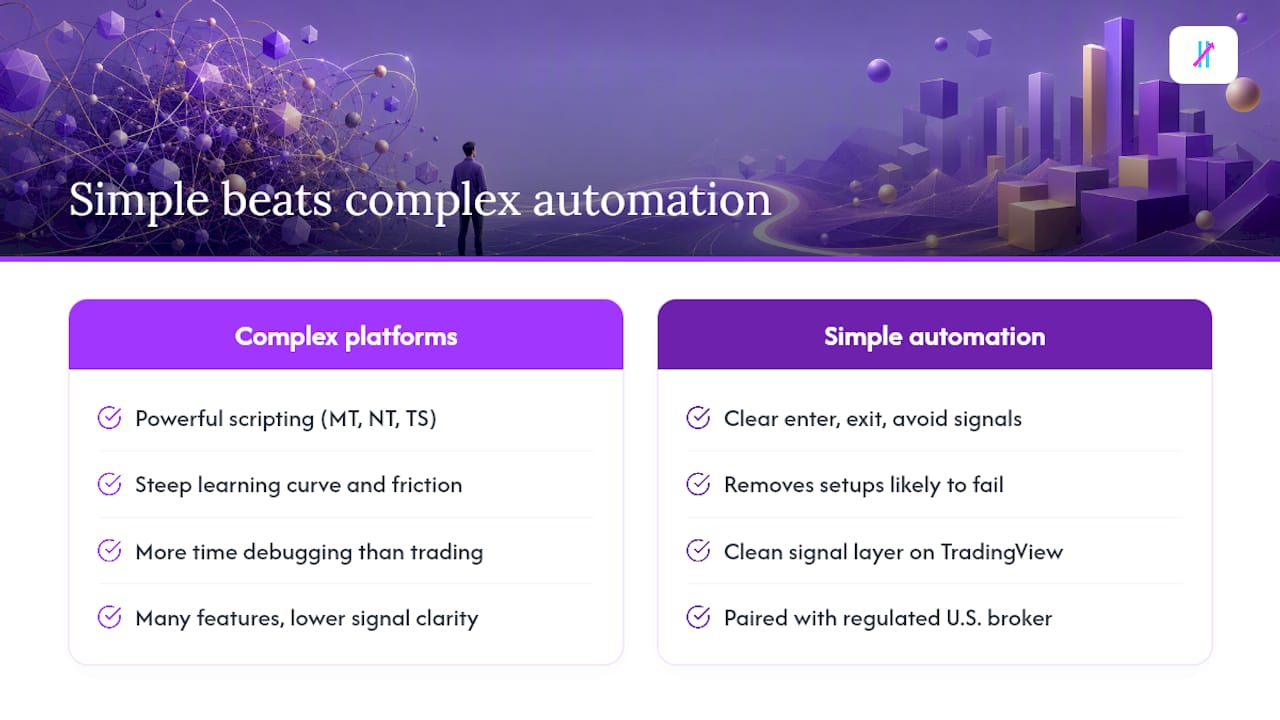
Why simple automation beats complex platforms for most retail traders
The conventional wisdom in trading circles is that more features equal more edge. After reviewing every platform on this list, the opposite tends to be true for retail traders. The platforms with the steepest learning curves — MetaTrader’s EA ecosystem, NinjaTrader’s NinjaScript, TradeStation’s EasyLanguage — deliver genuine power, but they also deliver genuine friction. Most retail traders spend more time debugging their automation than they spend actually trading.
What actually moves the needle is signal clarity. A tool that tells you clearly when to enter, when to exit, and when the market condition is not worth trading is more useful than a tool that lets you build a 200-line strategy you do not fully understand. Big Move Algo’s Fake Trend Detector is a good example of this philosophy in practice: instead of giving you more data to interpret, it removes the setups that are likely to fail.
The modular approach — a clean signal layer on TradingView paired with a regulated U.S. broker for execution — is not a compromise. For most retail traders, it is the most honest setup available.
Get started with Big Move Algo today
If you want clear signals without rebuilding your entire workflow, Big Move Algo is the direct answer. It installs as a TradingView indicator, covers crypto, forex, stocks, indices, and commodities, and gives you Long, Short, and Exit signals with a built-in Fake Trend Detector to filter out weak setups. AUTO Mode requires no coding and minimal configuration. Manual Mode is there when you want more control.
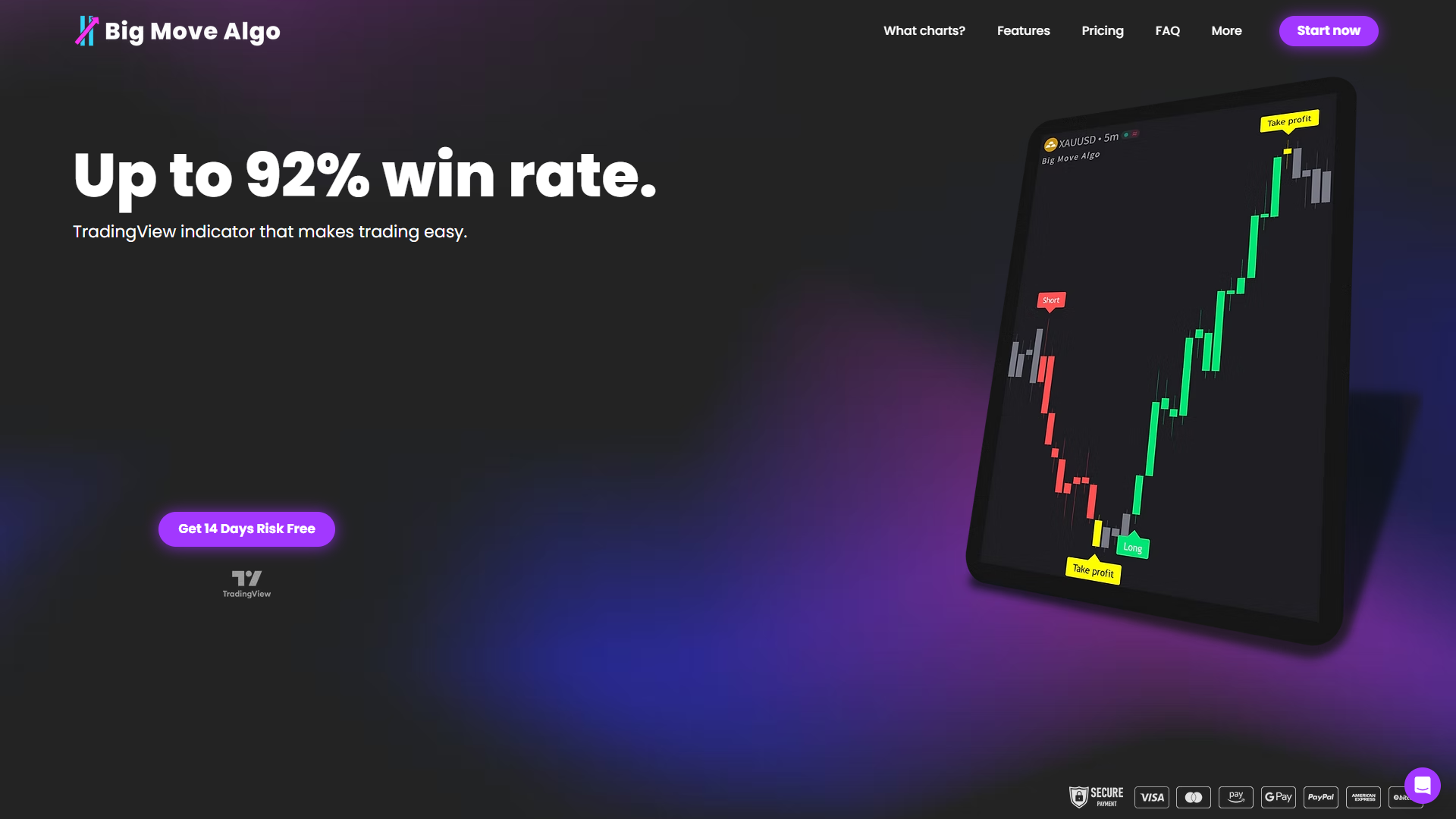
To get started: subscribe at bigmovealgo.com, install the indicator on TradingView, enable alerts, and connect your execution bridge if you plan to use AUTO Mode with a broker. Paper trading first is strongly recommended. Past signal performance does not guarantee future results; always backtest and paper trade before allocating real capital.
Useful sources and further reading
This article is general information, not financial or investment advice. Confirm current broker fees, platform terms, and regulatory status directly with each provider before making any trading decisions.
Recommended
Comments